When to use AI, when not to 🔧
(short read)
Thirdfort - Product design - Mobile - 2024
Automated systems only work if users trust them. The design job is making sure the user gives the system the time of day.
The problem
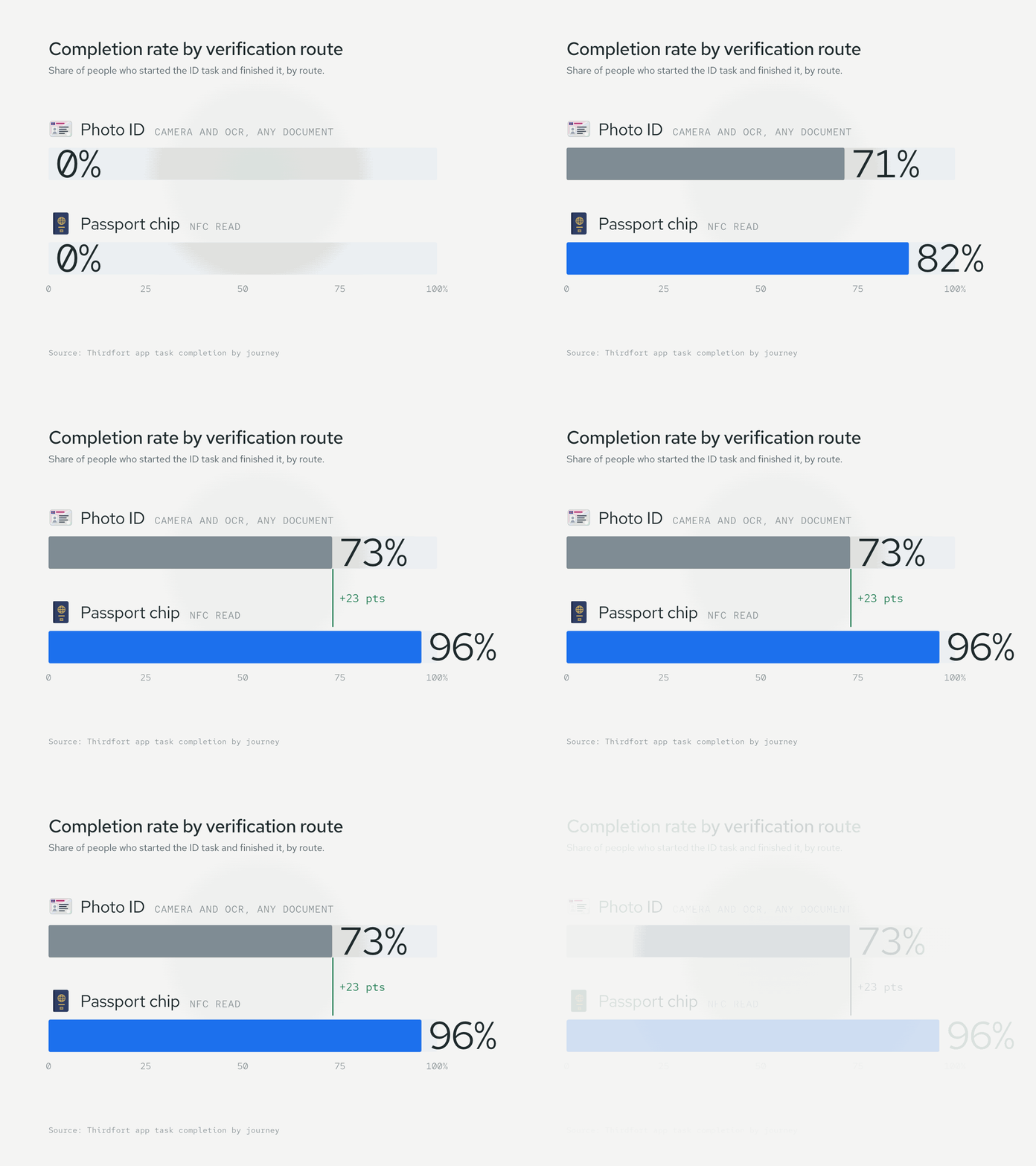
At Thirdfort, users verify their identity by scanning a government ID. They choose the document: passport, driving licence, national ID card. Completion rate varies a lot by document. Passports perform meaningfully better, because the chip inside can be read directly via NFC. That gives the automated verification a much cleaner signal than OCR on a plastic card.
The picker was where things broke, not the scan. Most users defaulted to whatever was in their wallet, usually the lower-performing doc. If the automated read then failed mid-flow, they had already invested effort. They were more likely to bail than start over with a different document. The AI was fine. The user's setup was starving it.
The design
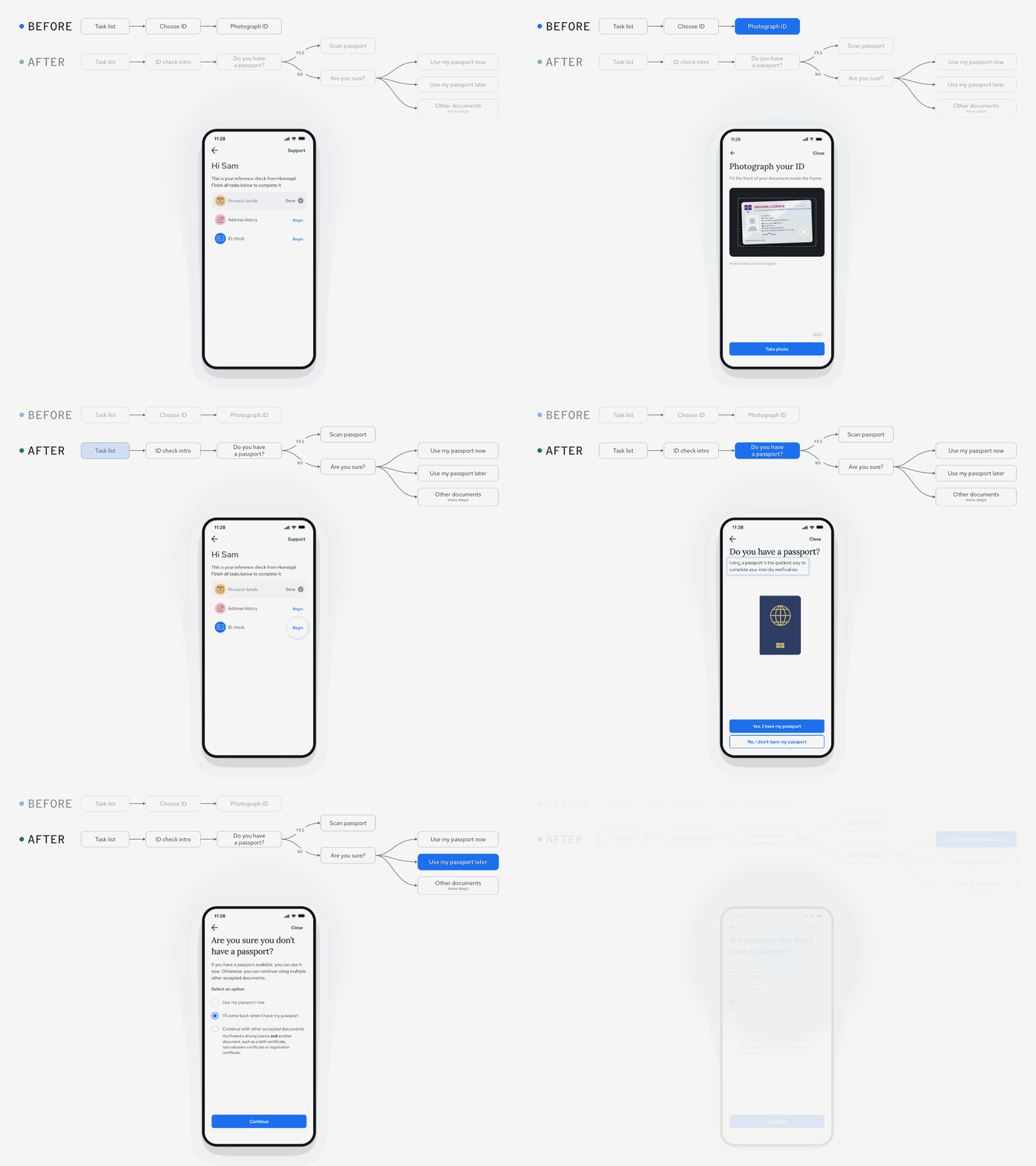
Guide the document choice up front, then teach the user how to succeed with the automated step.
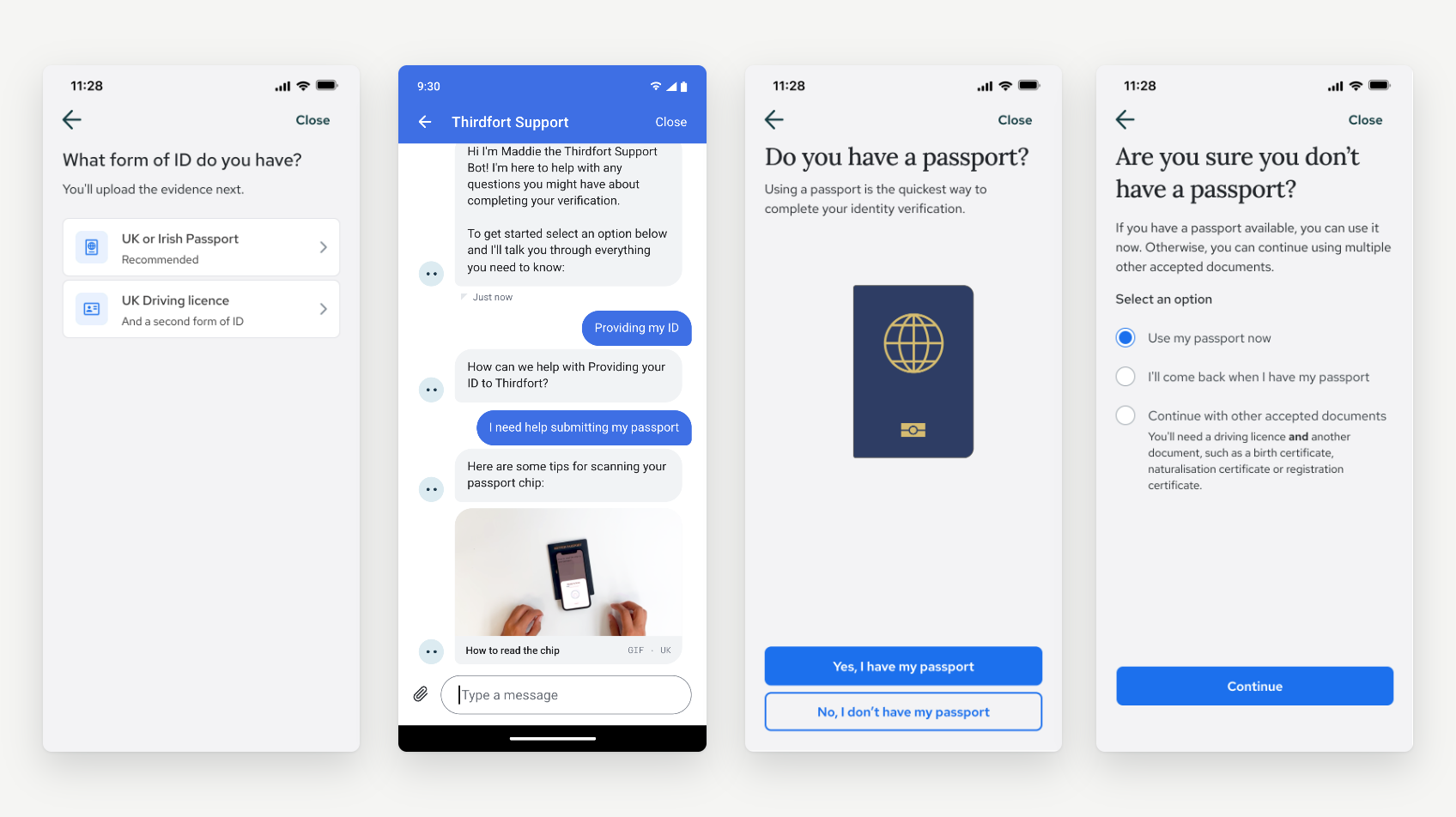
On the picker, we changed defaults and copy to promote passport as the recommended option, with a plain explanation of why: higher success rate, faster to complete.
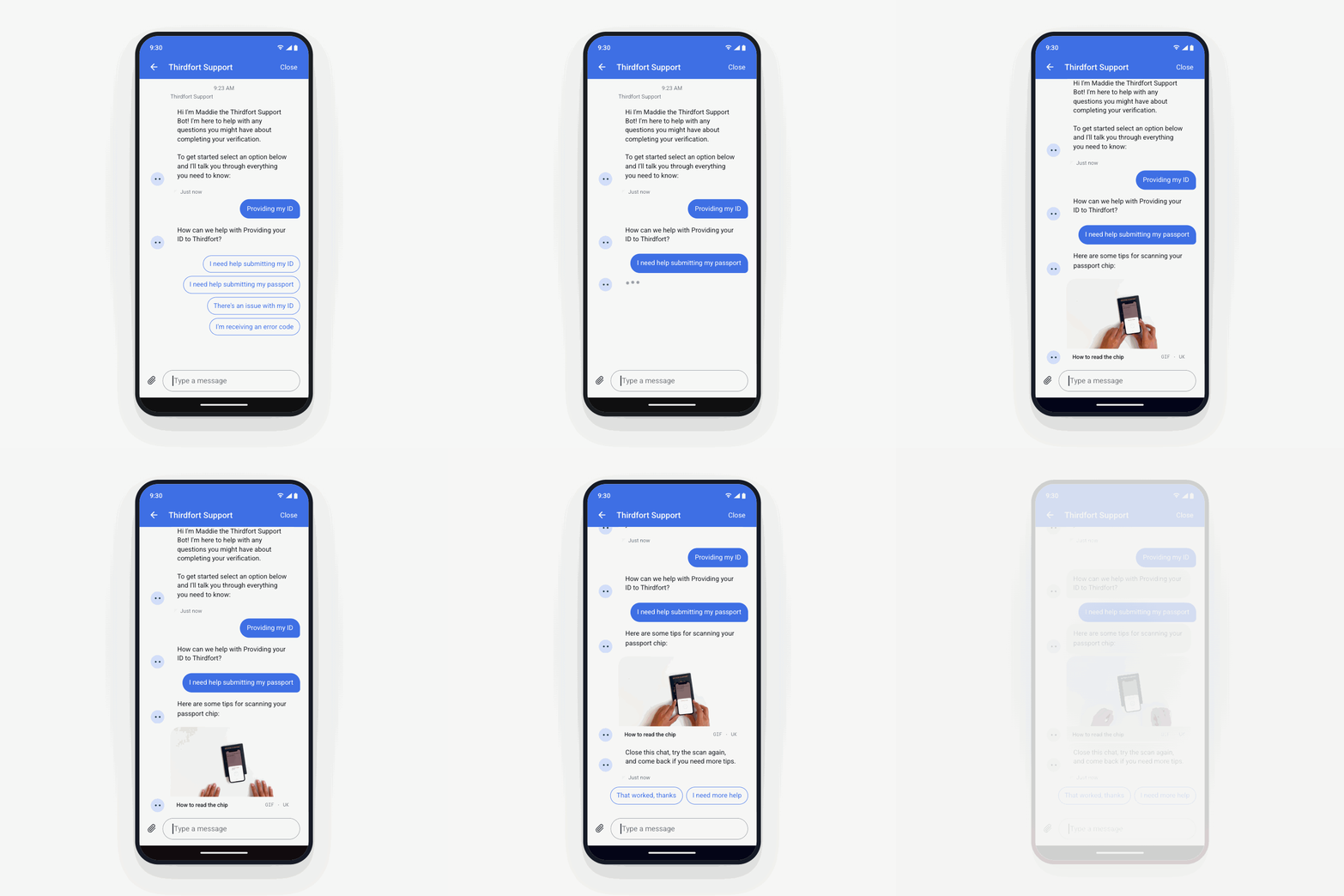
For users really getting stuck, I created short instructional videos and animated GIFs showing exactly how to hold the passport against the phone so the NFC reader could find the chip. Angles, distance, timing. Not a written instruction. A loop that shows the correct behaviour.
Two details that mattered
We surfaced the guidance in the chat with our bot as a prep step ahead of the scan. The user came in primed instead of troubleshooting mid-scan.
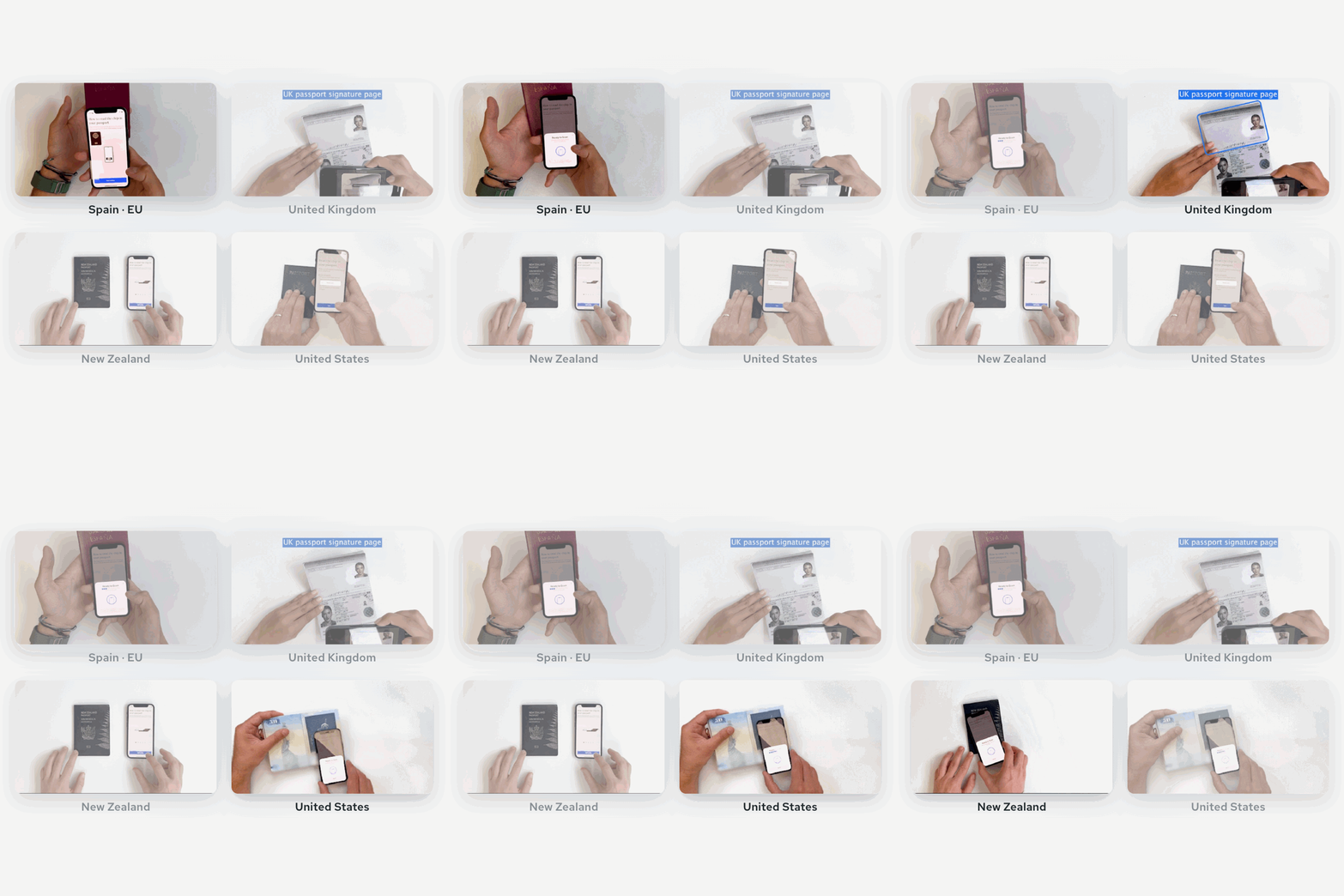
After iterative prototyping and user interviews, we learned that users needed to recognise their passport to have confidence in the instructions. So we shipped multiple versions of the videos and GIFs, matched to the user's passport type. What they saw on screen looked like what they were holding in their hand.
The result
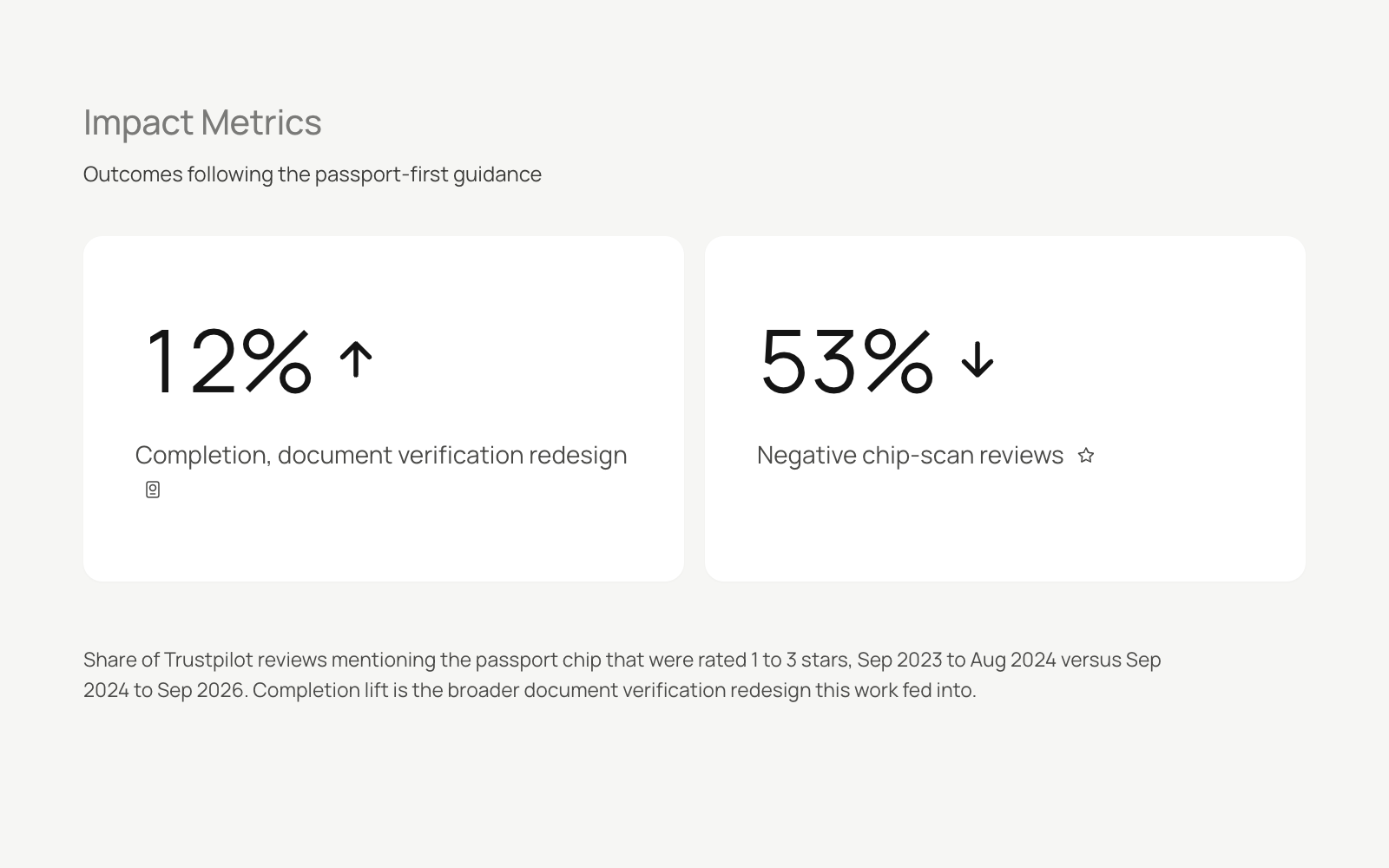
A meaningful lift in first-attempt success on the top-performing document. This fed into a broader document verification redesign that lifted completion by 12%, with knock-on gains in margin and churn.